GovCon CRM & capture management
Win more contracts.
Find better-fit opportunities.
Build stronger proposals faster with AI.
GovConvert brings SAM.gov opportunity discovery, capture management, and AI proposal drafting into one GovCon CRM. Find relevant work, coordinate each pursuit, and draft from your past performance, all in your own Azure environment.
$105 per user, per month for the software license · Every feature included · Azure infrastructure and AI usage billed separately
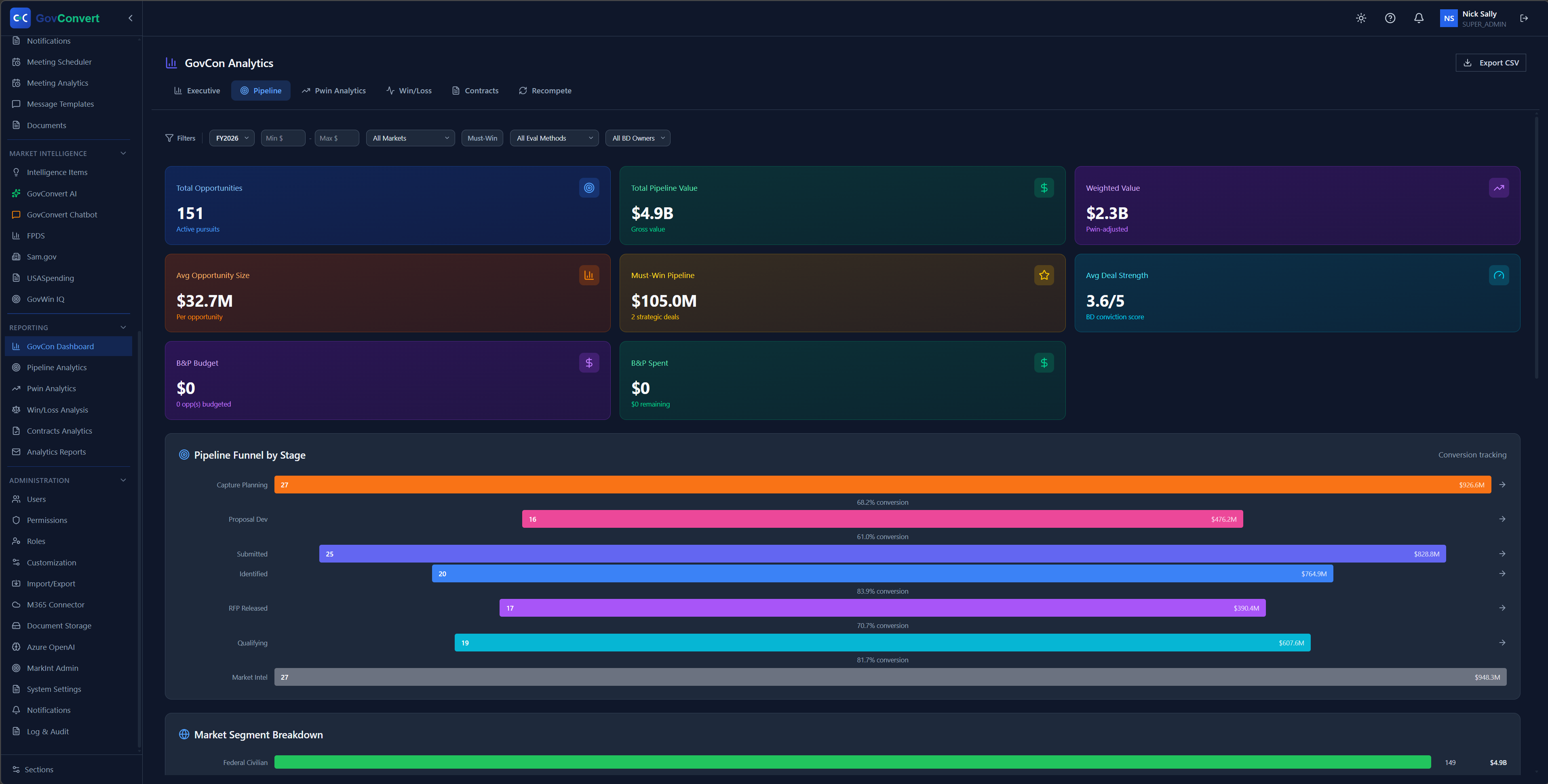
Bring discovery, capture, and proposal work together.
Give your team a shared view of the opportunities worth pursuing, the relationships behind them, and the material needed to prepare a response.
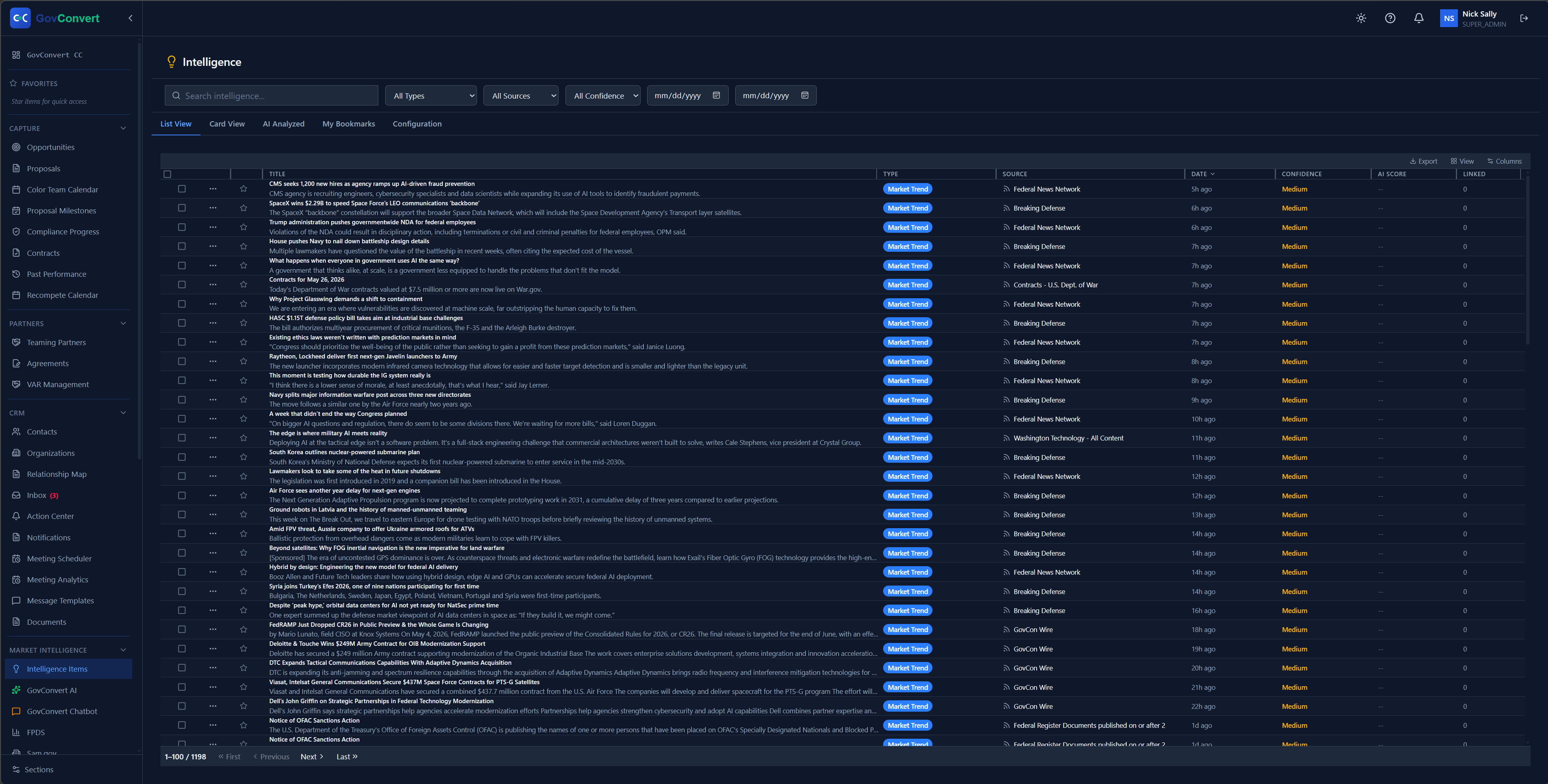
Find opportunities that fit your business.
Set your target agencies, NAICS codes, set-asides, and contract values. The Intelligence Feed checks SAM.gov and FPDS for matches every 30 minutes and emails you new ones. Automated matching gives your team more time to qualify and respond.
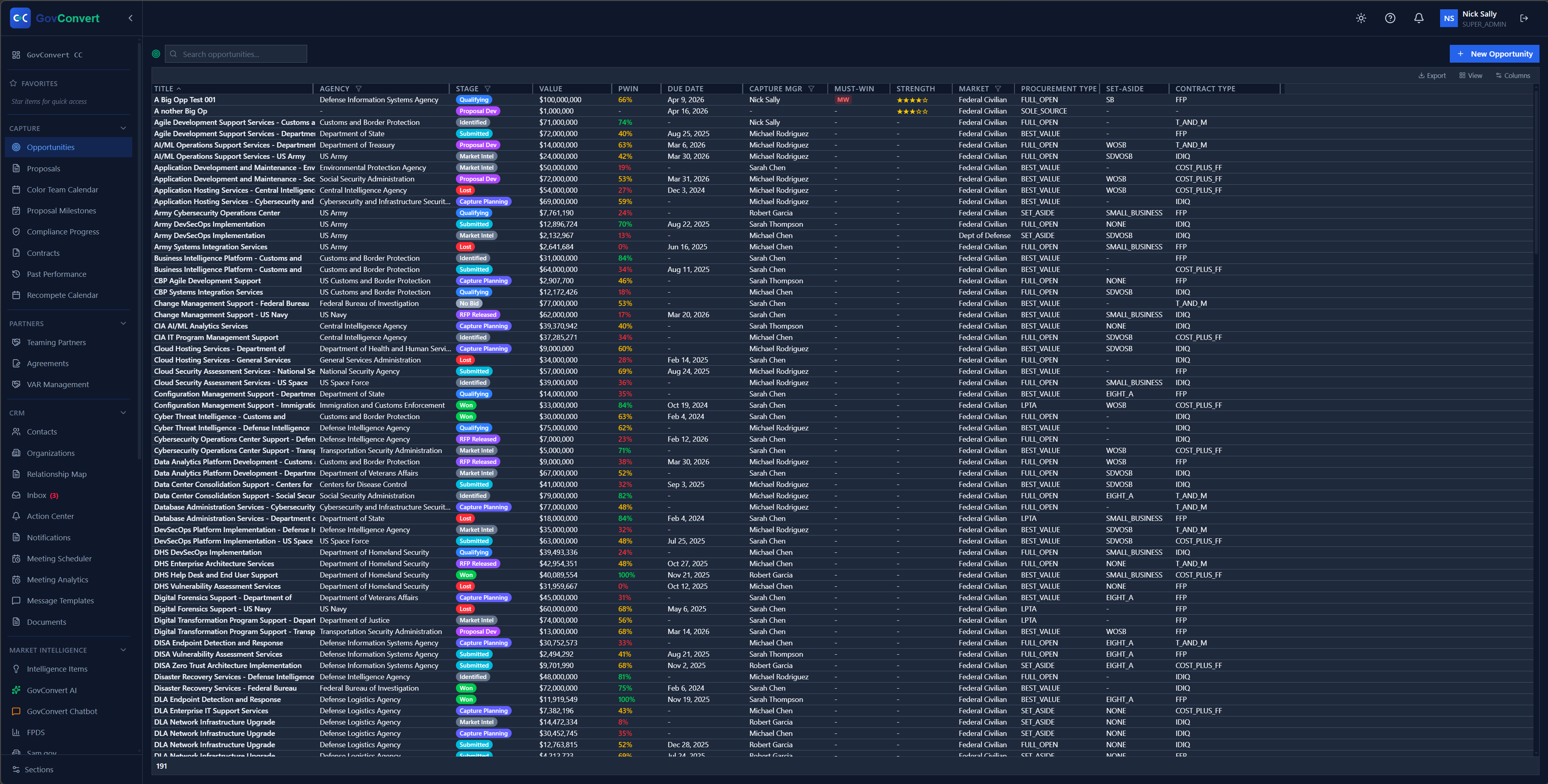
Keep each pursuit organized.
Manage contacts, opportunity stages, win probability, win themes, and gate reviews in a CRM built for federal contracting. The capture context stays together as work moves between business development and proposal teams.
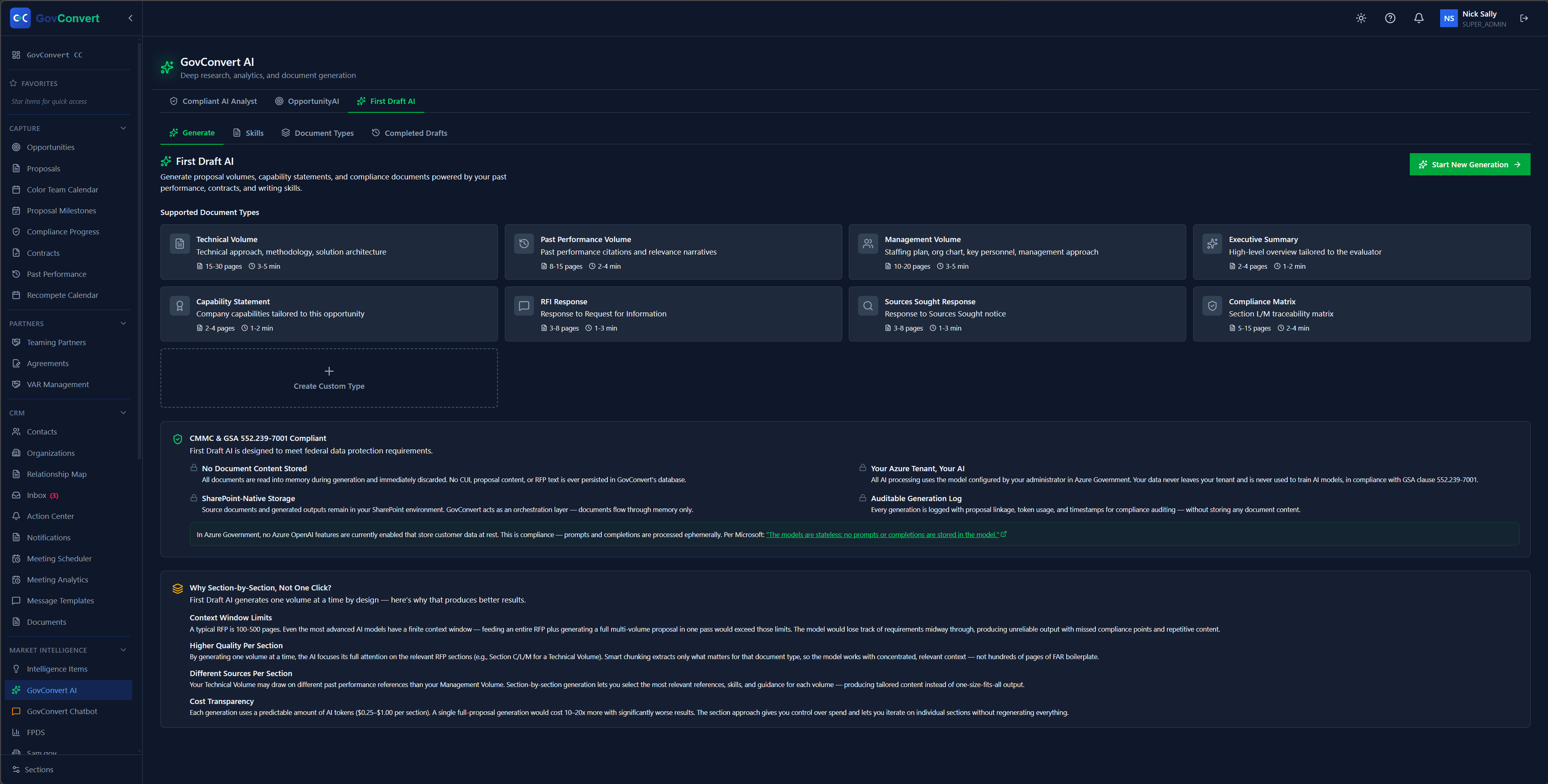
Turn past performance into a useful first draft.
Use your templates, the solicitation requirements, and your prior work to start proposal sections with GovConvert AI. Your team develops and reviews the response from there. The AI runs on the models selected for your Azure deployment, inside your tenant.
Keep the rest of the capture work connected.
The Command Center arranges dashboards around the information your team needs. Bookings coordinates meetings through Microsoft 365 calendars across your team and attaches each booking to the relevant CRM record.
Explore all featuresKeep your capture data under your control.
Deploy GovConvert into your Azure subscription, Commercial or Government, and connect documents from your existing SharePoint environment. Your team manages access with Microsoft 365 sign-in and application roles. No software makes an organization compliant. Give your security team a clear view of the architecture, data flows, and responsibilities before deployment.
CRM records
Opportunities, contacts, and pipeline data persist in the database provisioned in your Azure subscription. GovConvert holds no credentials, no network path, and no read access to it.
Documents
GovConvert links to files in your existing SharePoint library. It does not copy them into its own database.
AI conversations
Held in memory only for the session. They do not persist, they do not leave your tenant, and they do not train any model. The models are the ones you select in Azure.
Access and audit
Microsoft 365 sign-in with your existing MFA and Conditional Access. Application roles control what each user sees. A tamper-evident audit log runs by default and forwards to Microsoft Sentinel.
One license. Every feature included.
CRM, opportunity discovery, AI drafting, dashboards, and bookings are included in your software license. Azure infrastructure and AI model usage are billed separately. Guided Deployment is available as an optional one-time service.
See the workflow. Plan your deployment.
Explore the product with your team.
See opportunity matching, capture management, and AI drafting in a focused demo, or take the product tour on your own.
Review the requirements with your admin.
Confirm the Azure subscription, the Microsoft 365 setup, the AI model choices, and the expected running costs.
Deploy and invite your users.
Your Microsoft 365/Azure admin provisions the application from the Azure Marketplace, configures access, and brings the team in. With those prerequisites in place, first sign-in typically takes about an hour.
Buying questions
Who is GovConvert designed for?
Federal contractors that want opportunity discovery, capture management, and AI proposal drafting connected in one CRM, deployed in their own Azure environment.
What do we need to deploy it?
An Azure subscription and a Microsoft 365/Azure admin to complete setup. Review the deployment guide and your AI model requirements before subscribing.
Does the license include hosting and AI usage?
The license includes access to every GovConvert feature. Azure infrastructure and AI model usage are separate running costs, billed by Microsoft and your model provider.
How should our security team evaluate it?
Start with the architecture, data flows, and shared responsibilities on the security page. Your security team reviews the proposed deployment and model configuration against your own requirements, including any CUI handling policy.
See how your next pursuit could work in GovConvert.
In 30 minutes, explore opportunity matching, capture workflows, and AI drafting, and get answers about deployment and pricing. Bring a target agency or NAICS code and we tailor the walkthrough.