Product Tour
Every step of a pursuit, screen by screen
Judge the fit before you book a call. Six steps from finding a bid to demonstrating compliance, including the AI drafting inside the tenant, with every screen running on real data in a customer-owned Azure tenant. Click any tile to open it full size.
The Intelligence Feed searches SAM.gov and FPDS every 30 minutes and emails you the matches.
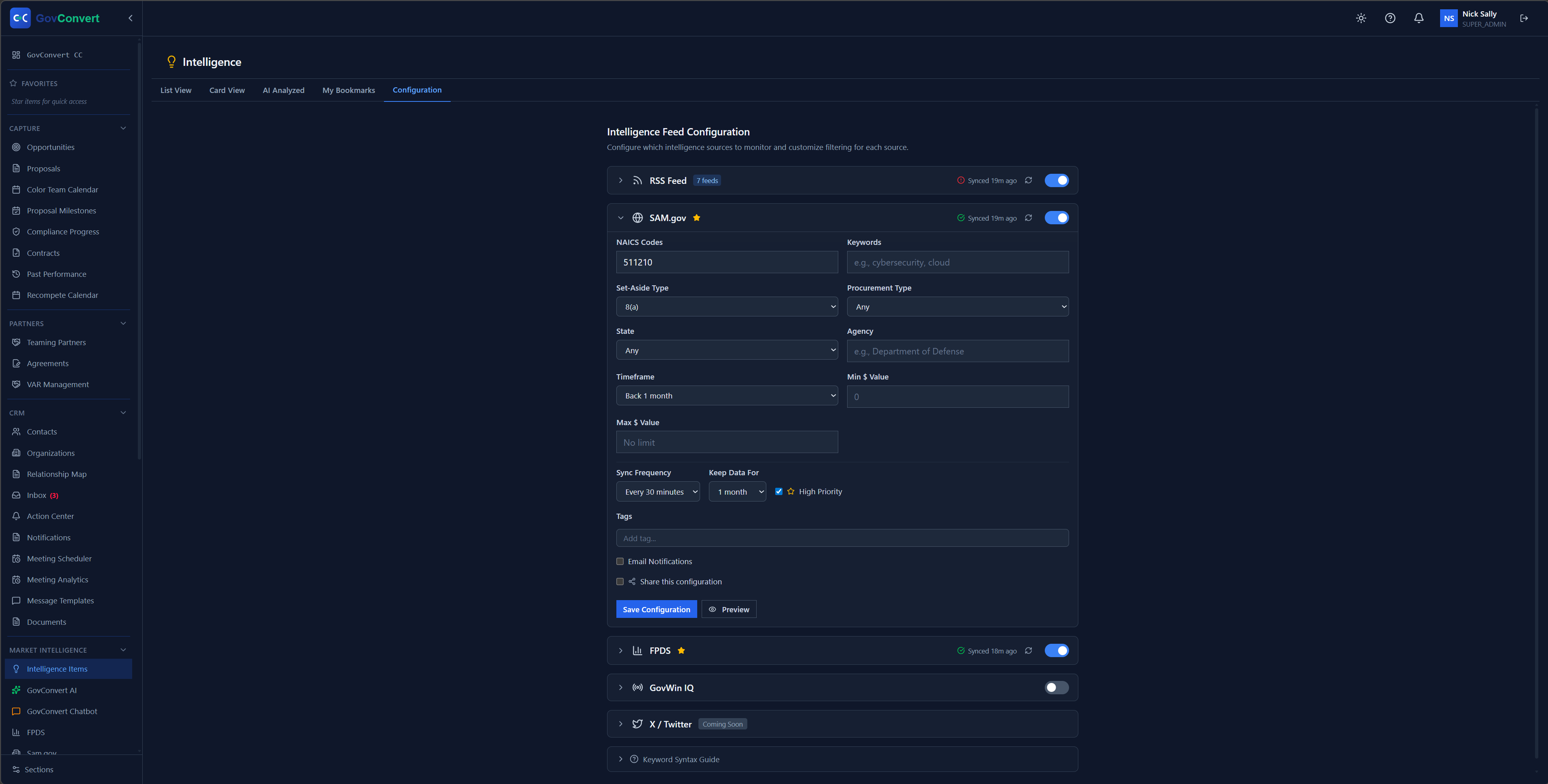
Set NAICS codes, set-asides, agencies, and dollar thresholds once. The Intelligence Feed then pulls matching solicitations every 30 minutes.
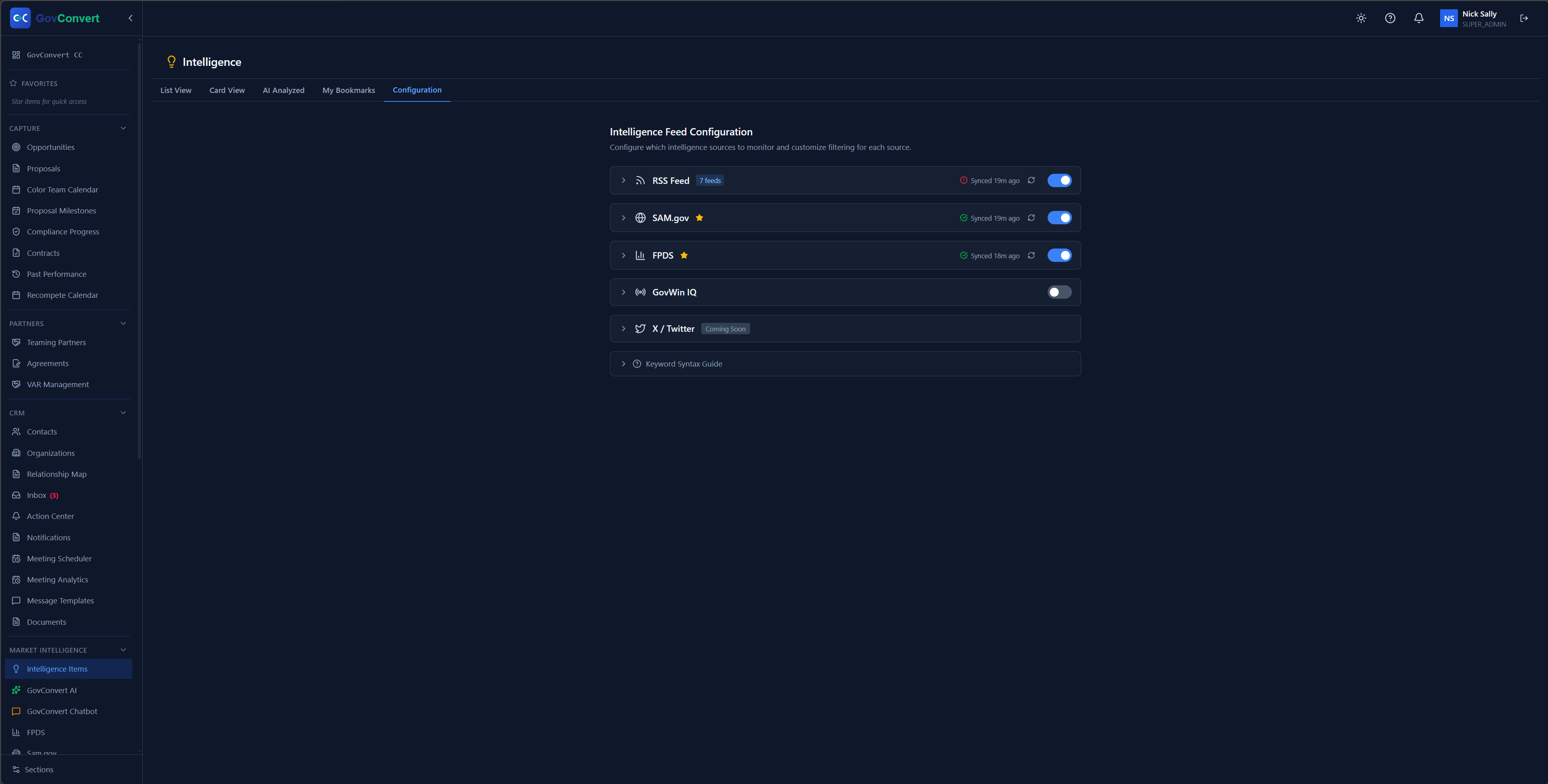
Turn SAM.gov, FPDS, and your news feeds on or off from one source list, with last-sync times on every row.
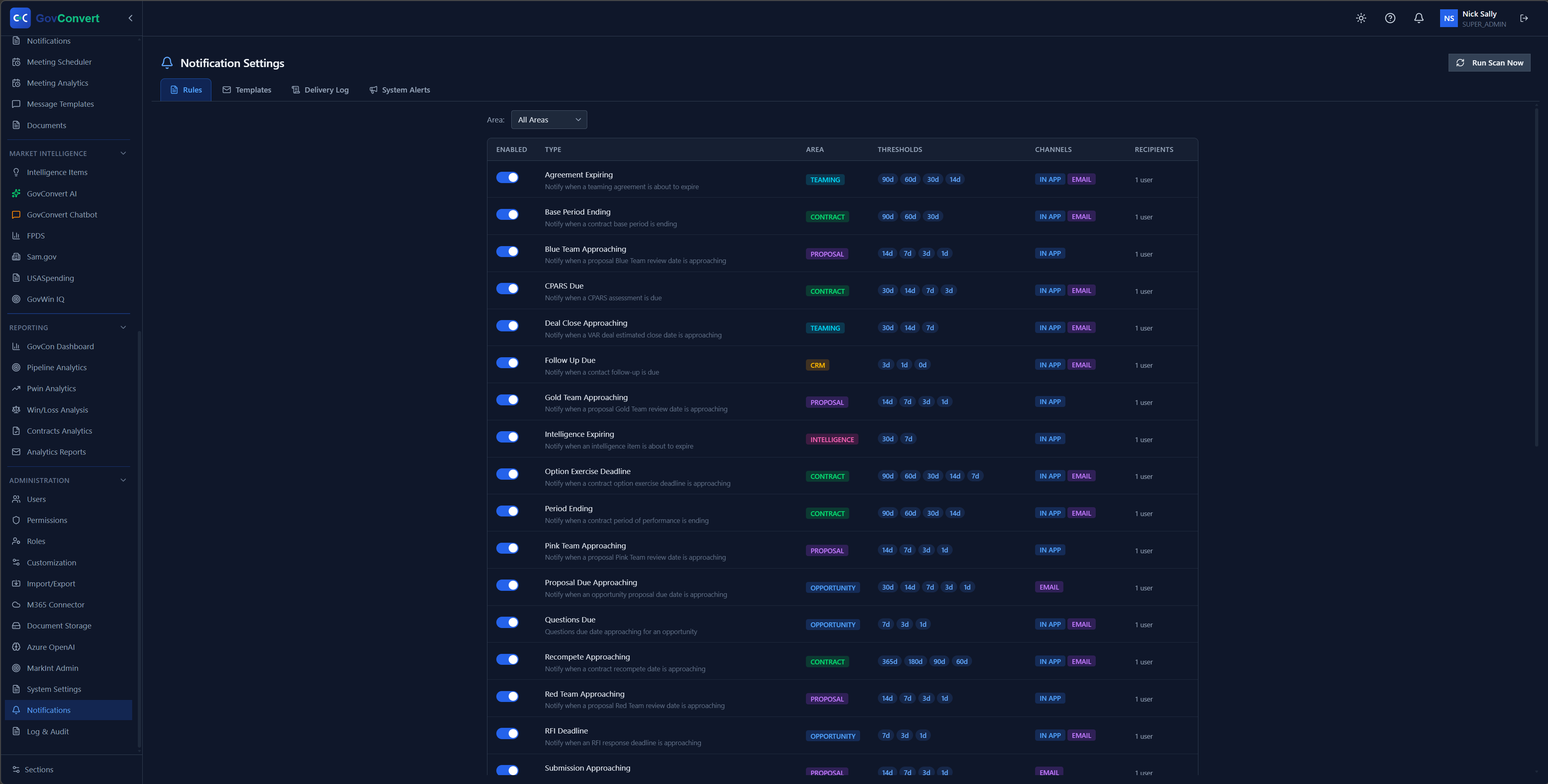
Enable alerts for expiring agreements, deal closes, and option deadlines, then set the day thresholds, channels, and recipients for each one.
Score each relationship before you commit B&P dollars: who you know, how strong the relationship is, and where the gaps are.
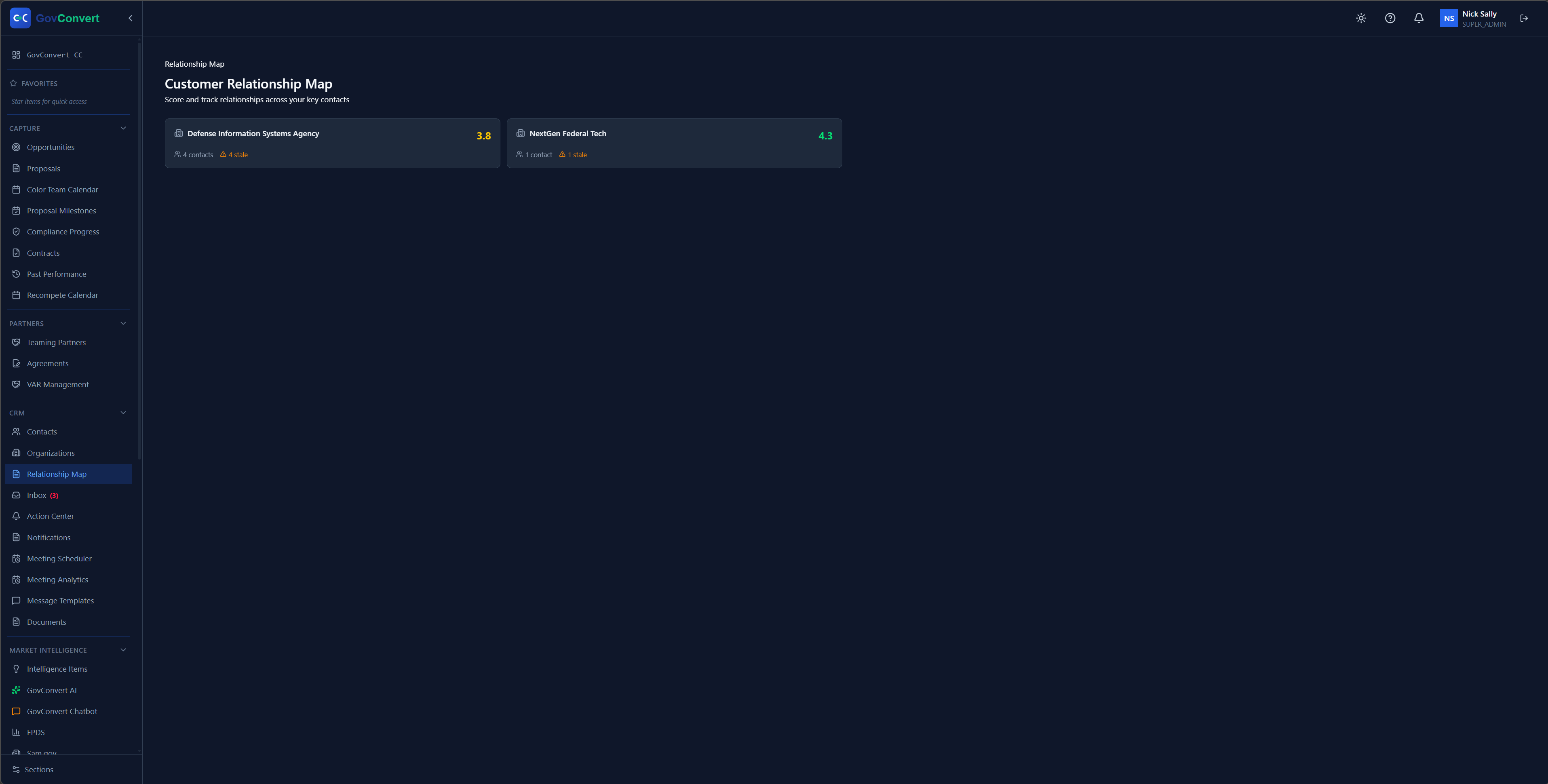
A relationship map that scores and tracks how strong you are with each customer organization at a glance.
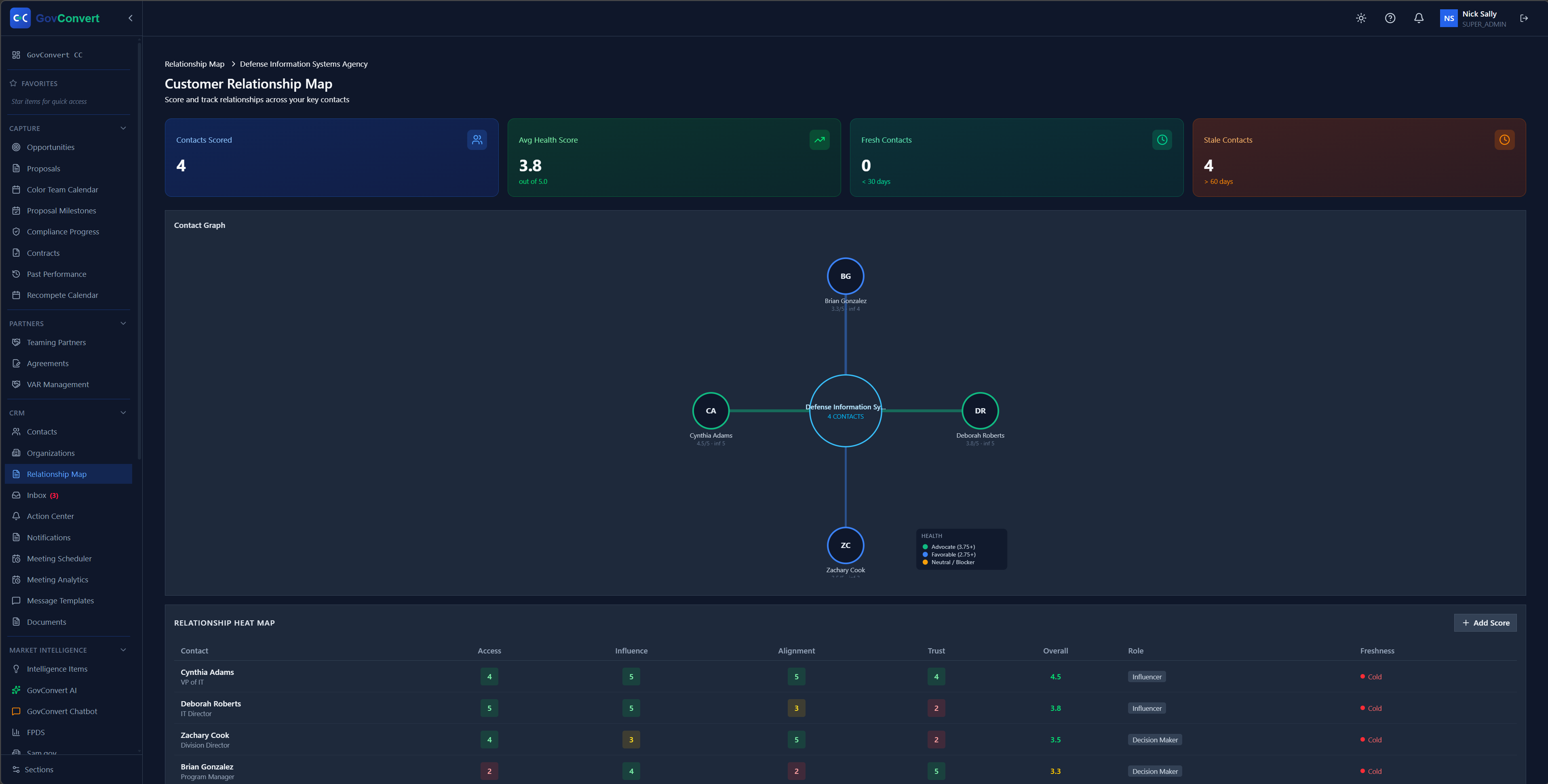
Drill into a single agency to see the contact graph and a heat map rating access, influence, alignment, and trust for every person.
Stay in front of the buyer and assemble the team, with booking pages in your tenant and every agreement in one register.
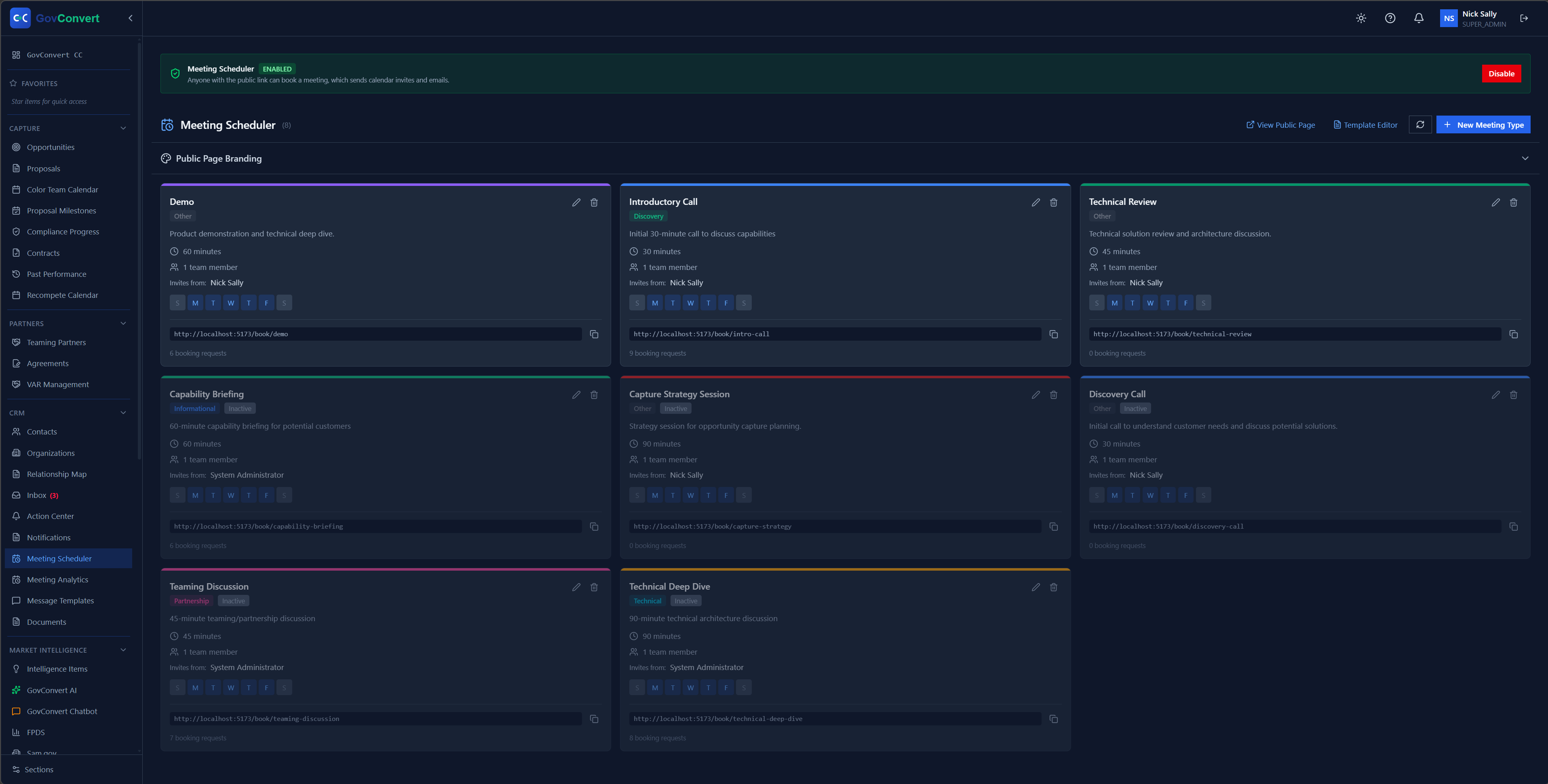
Publish meeting types for demos, capability briefings, and teaming discussions, each with its own duration, host, and weekday availability.
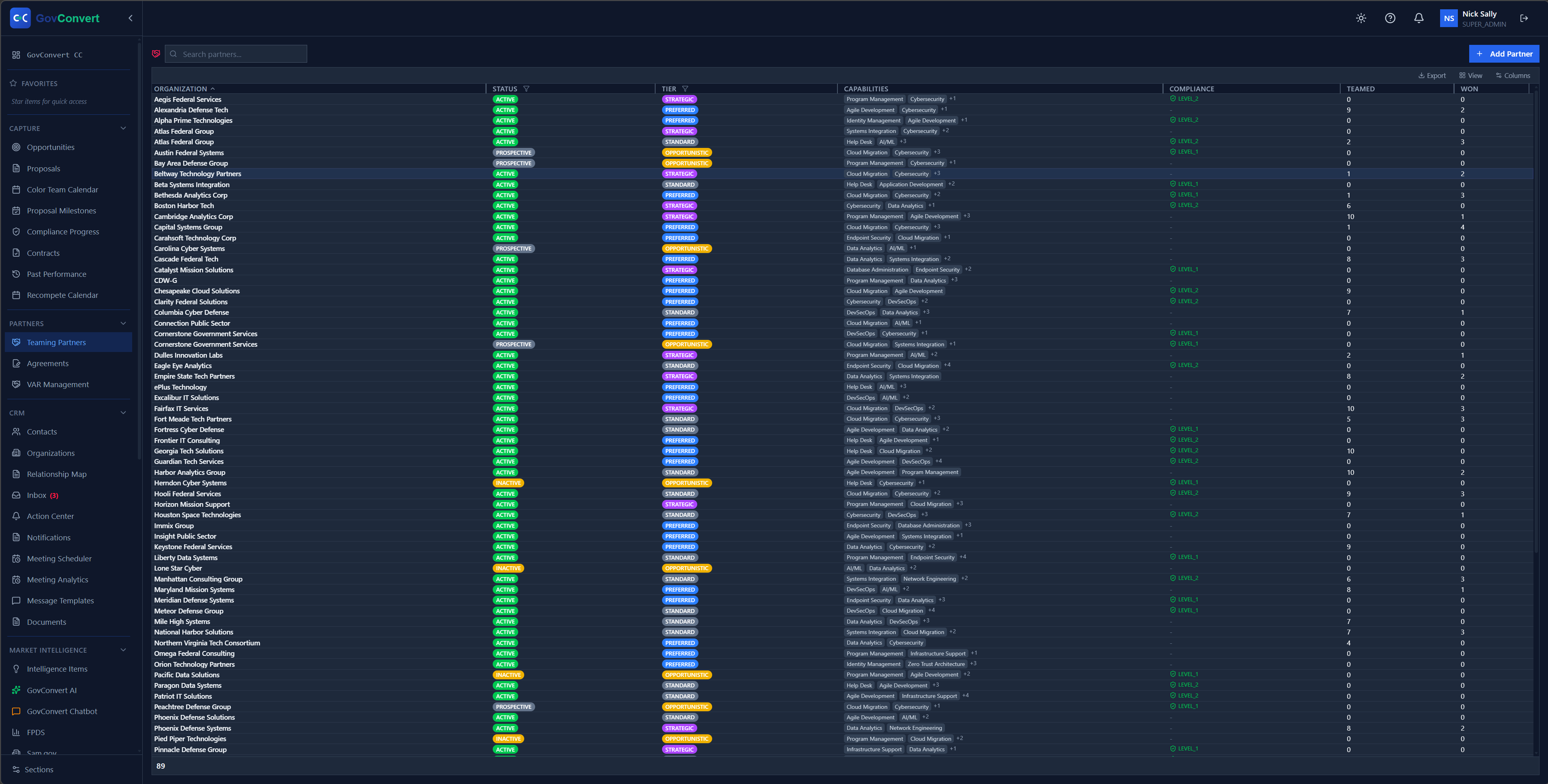
Browse your full partner directory with each organization's status and teaming tier, from strategic and preferred down to opportunistic.
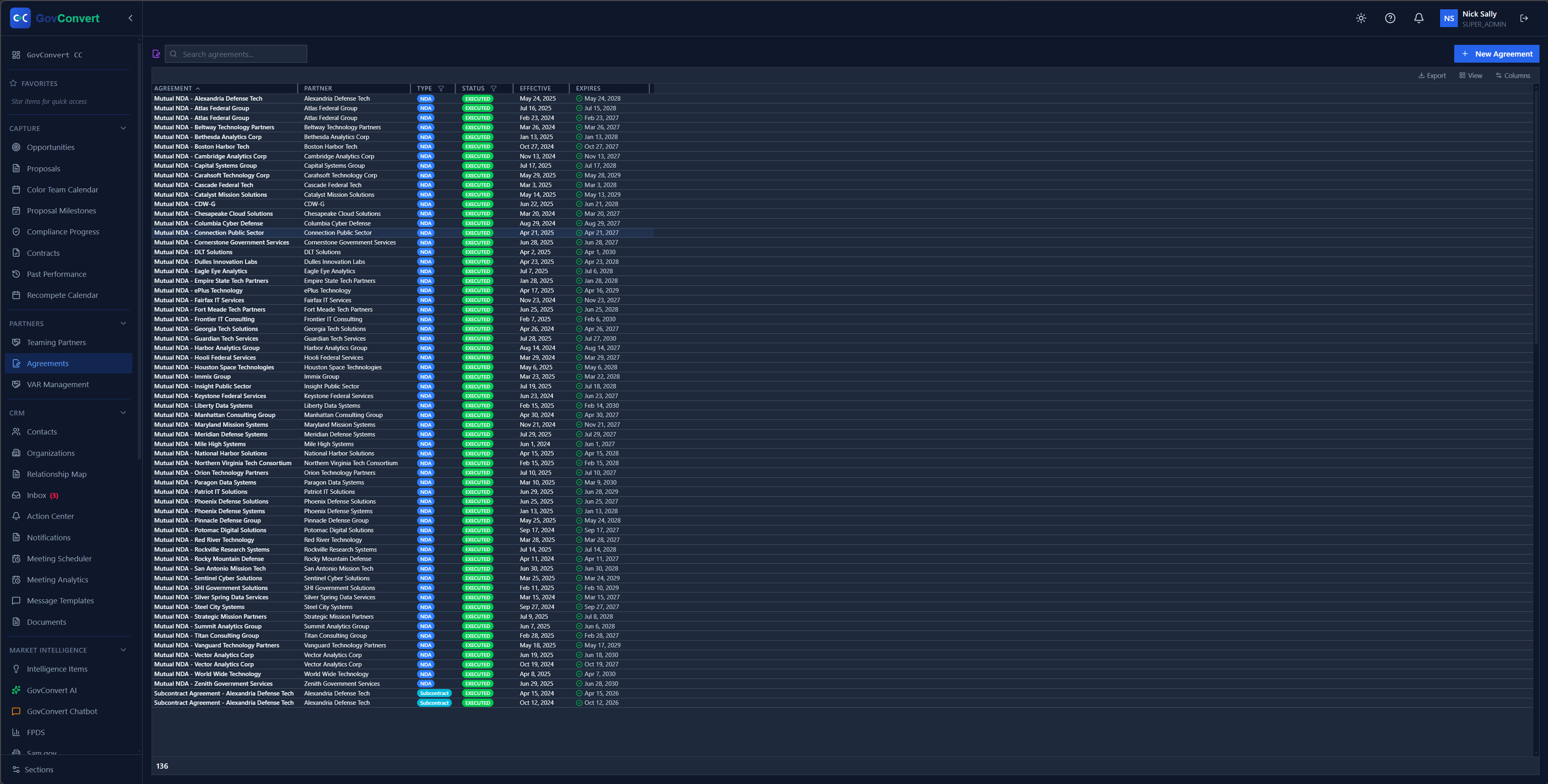
Track every NDA and teaming agreement by partner, type, status, and effective and expiration dates, so you know what is executed and what is about to lapse.
Draft from your past wins with AI that stays in your tenant, run your color teams, and pull the matching past performance.
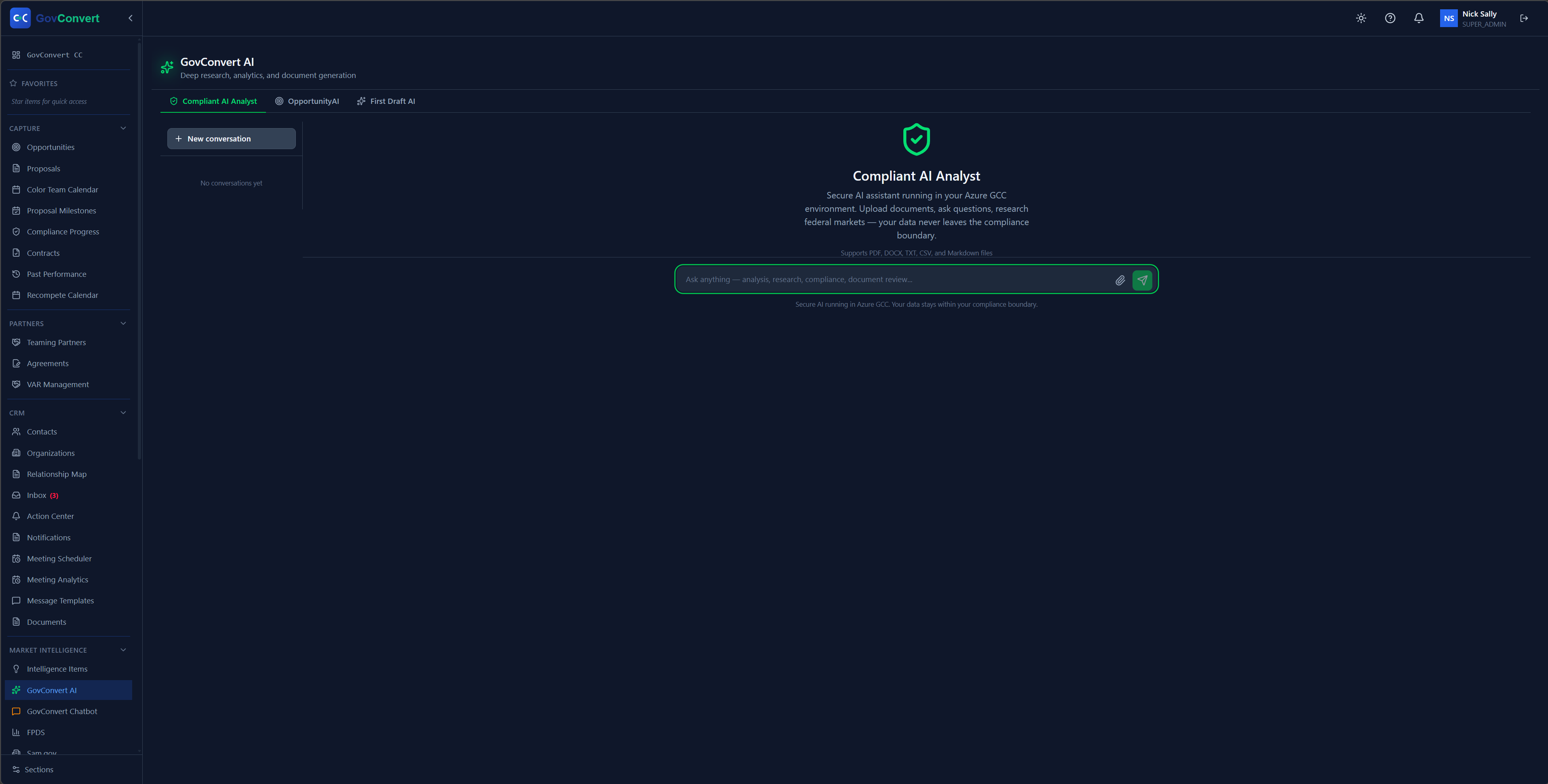
Ask the Compliant AI Analyst to read your documents and research federal markets, all running inside your own GCC environment so your data never leaves the boundary.
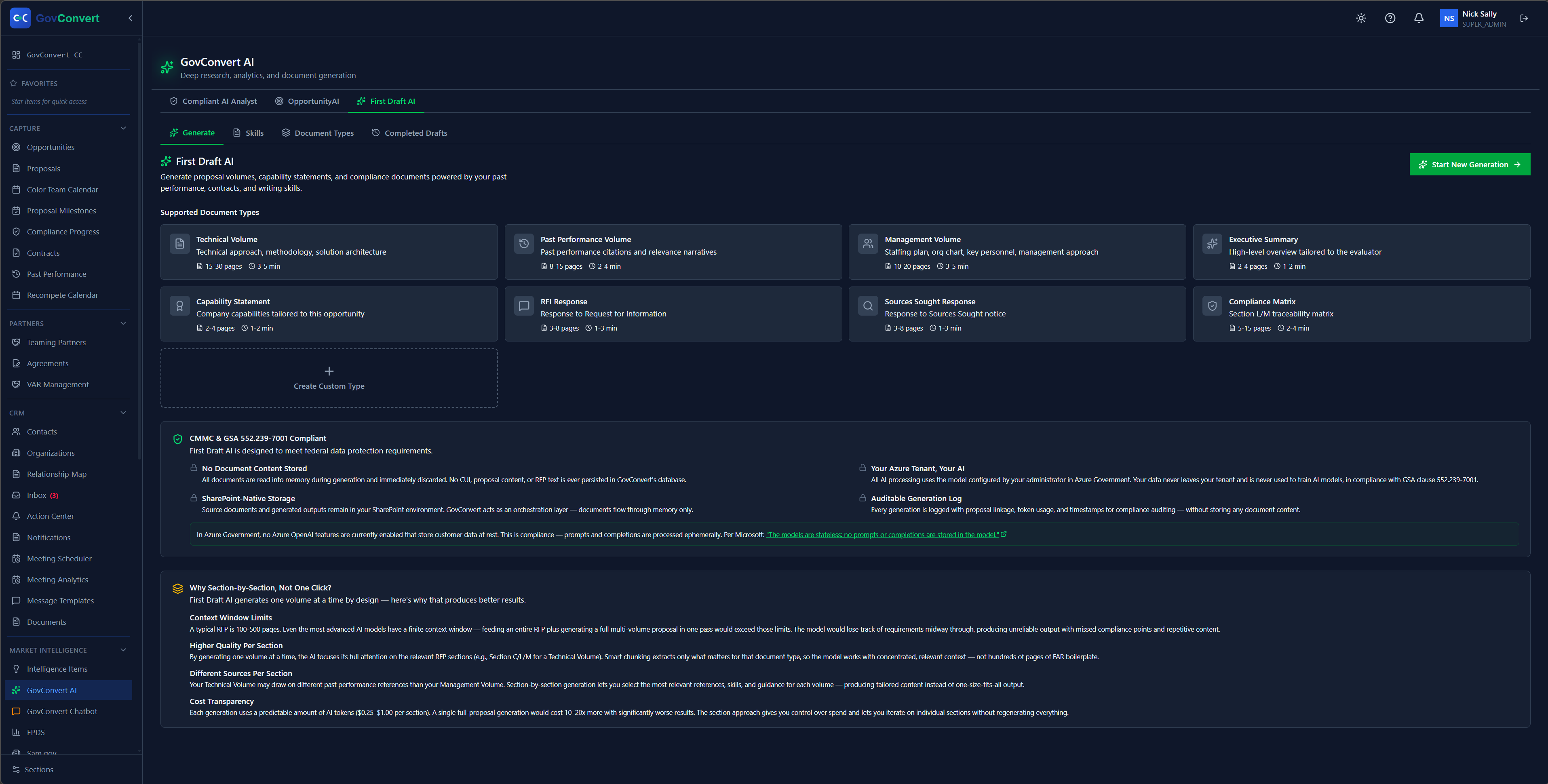
First Draft AI starts your proposals from your own document types and skills, with built-in notes on how it handles federal requirements.
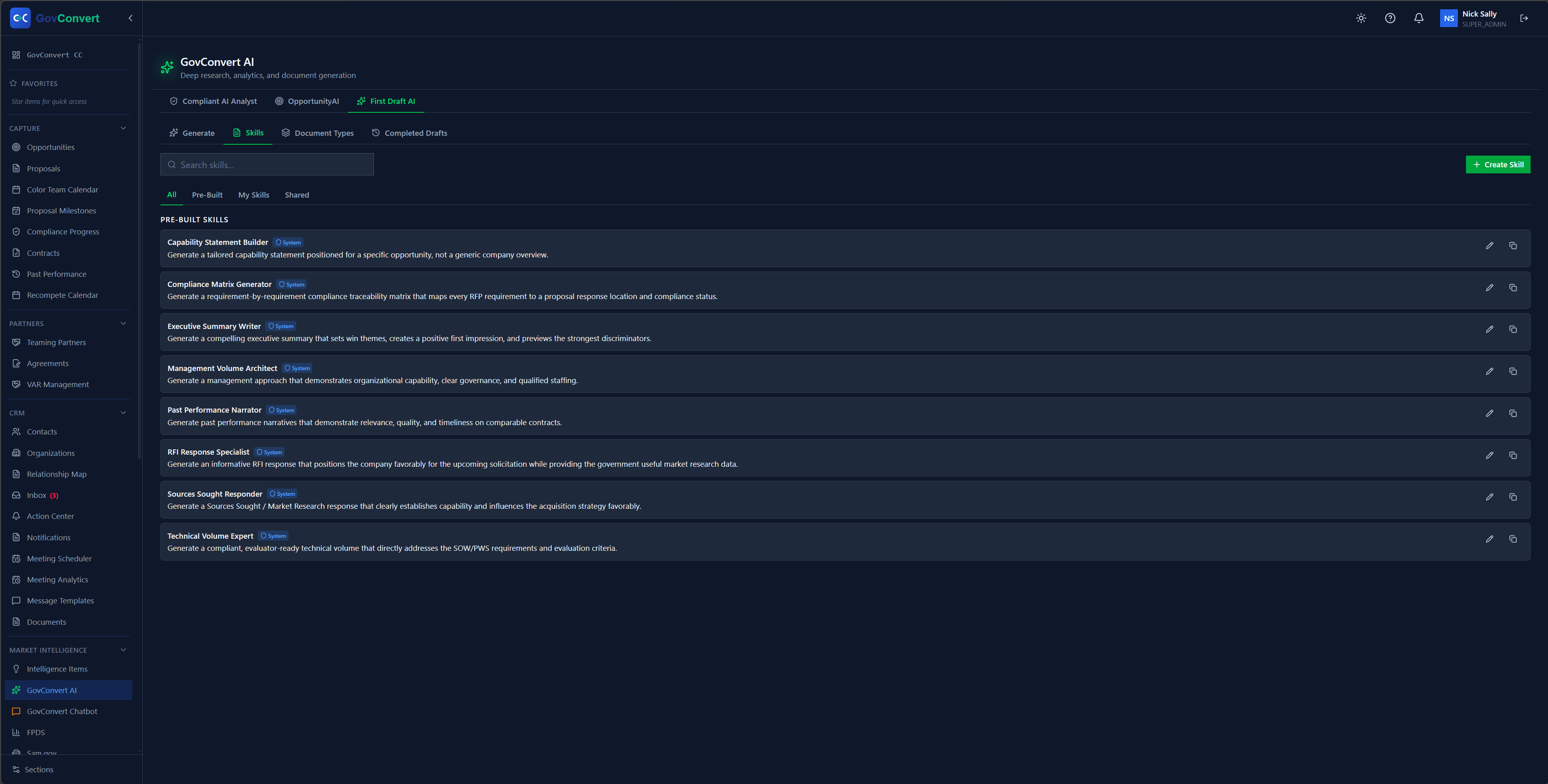
A library of pre-built writing skills covering capability statements, compliance matrices, and past-performance narratives. Run them as they are or copy them into your own.
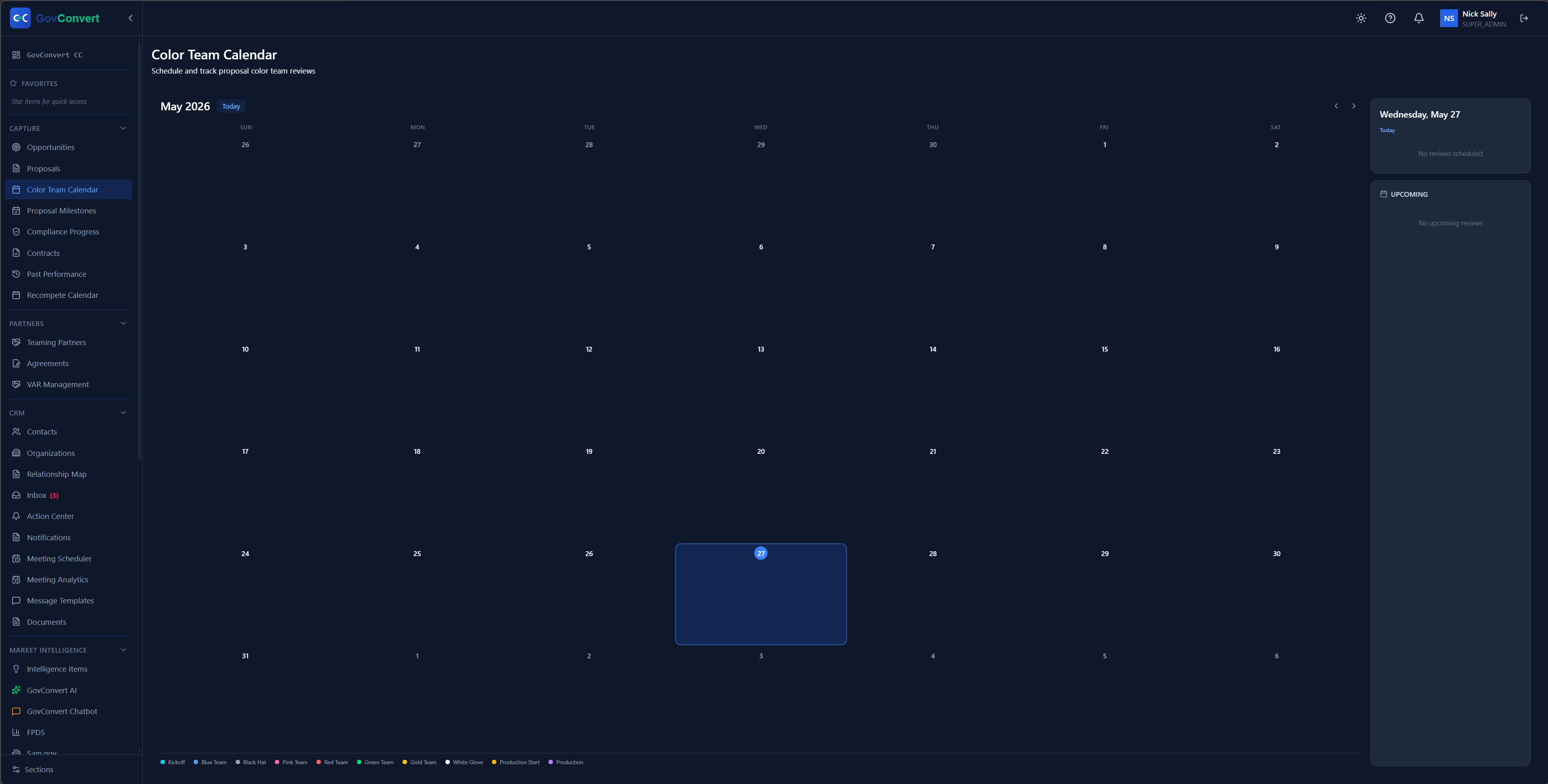
Schedule and track every color-team review on a month calendar, with a team-coded legend for Pink, Red, and Gold reviews at a glance.
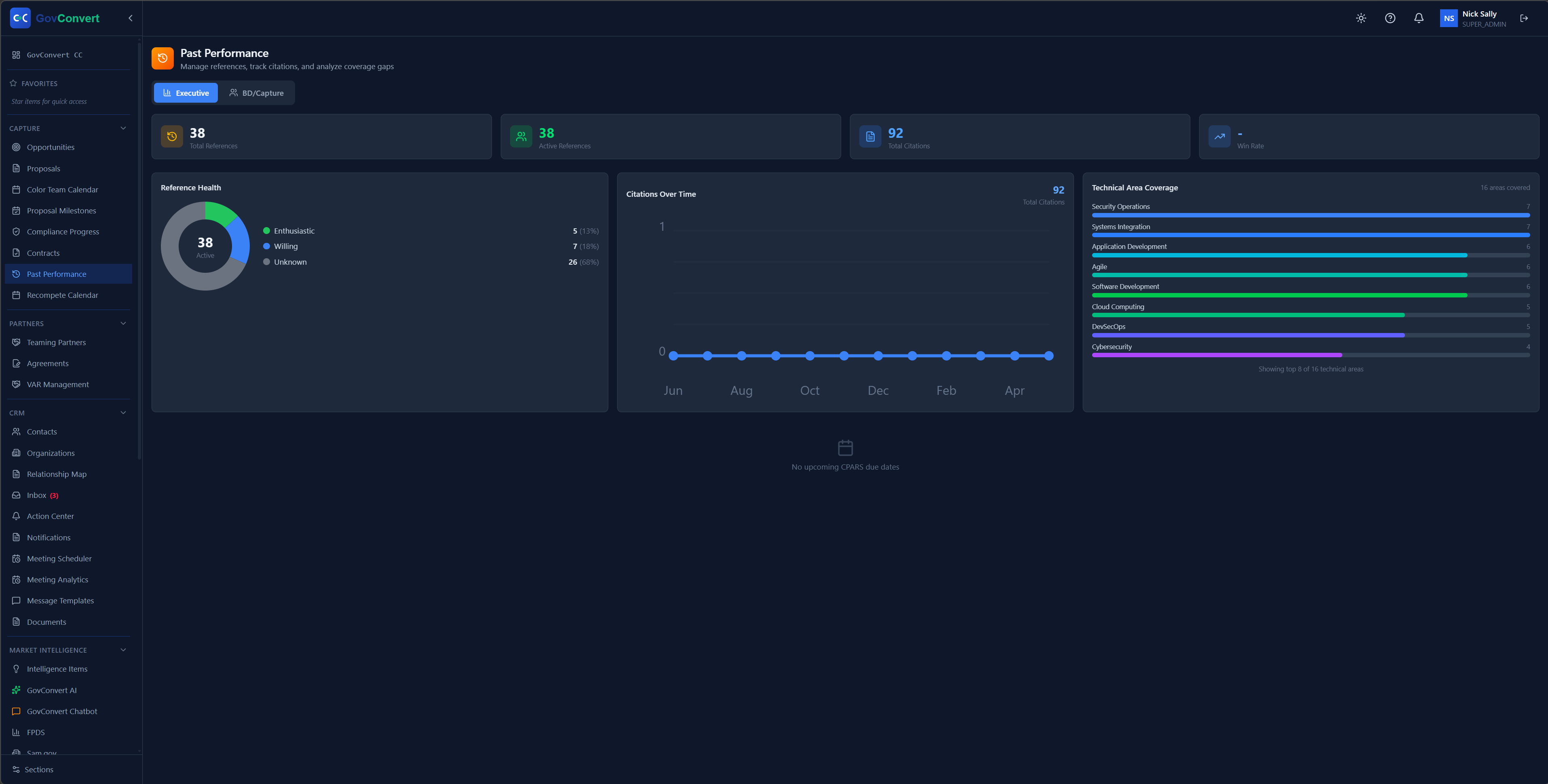
Manage your past-performance library at a glance, with references, citations, reference health, and technical-area coverage on one dashboard.
One screen for the whole operation, with fields and panels your team configures.
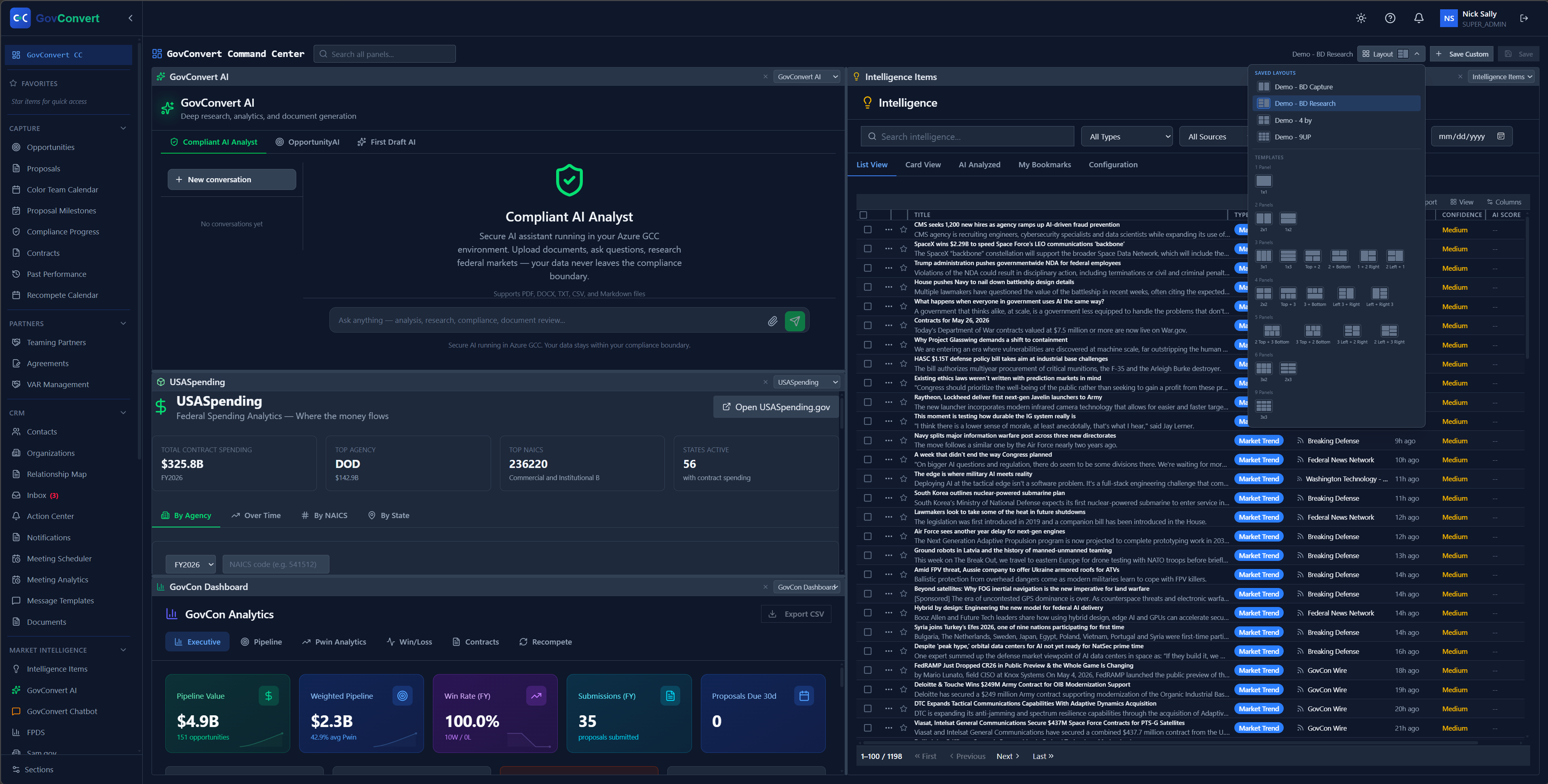
See the whole operation on one screen: pipeline value, federal spending by agency, win-rate analytics, and the Intelligence Feed side by side.
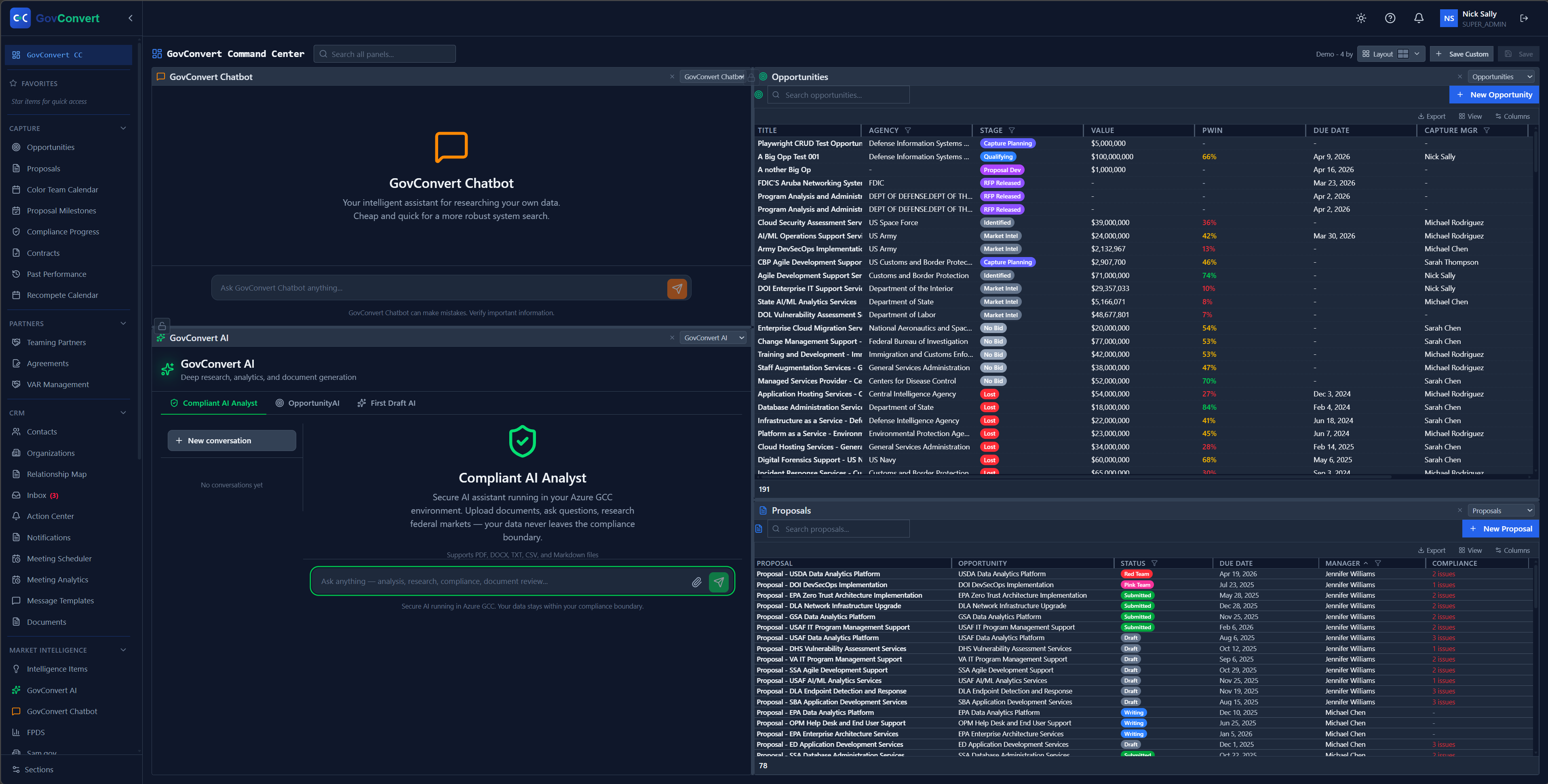
Ask the chatbot or run deep AI research in one column while your live opportunities and proposals tables stay open in the next.
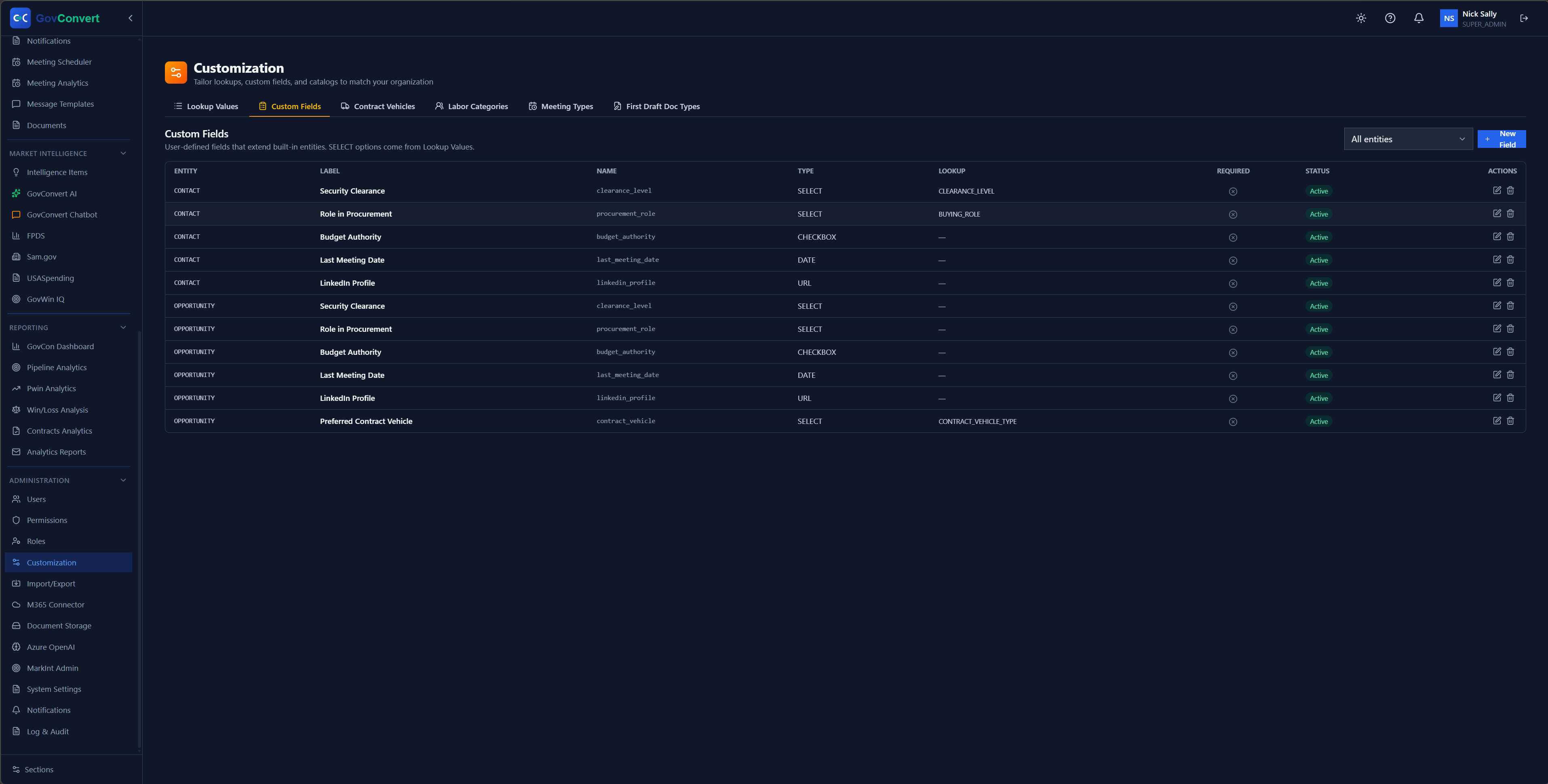
Add your own fields to contacts and opportunities, like Security Clearance, Budget Authority, and Preferred Contract Vehicle, with the type and lookup source set per entry.
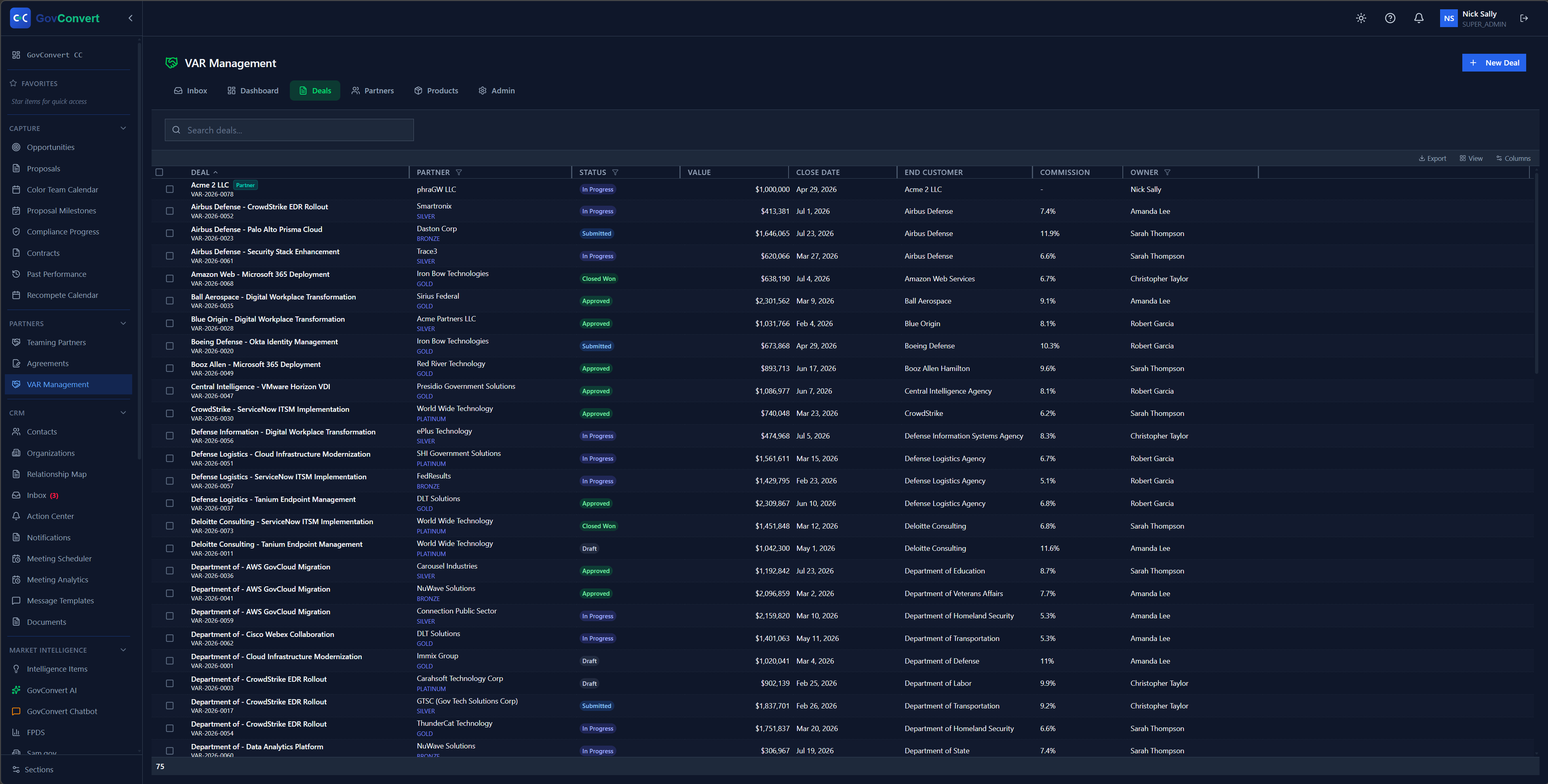
Track every VAR deal in one register, with stage, value, partner, win rate, and the account manager who owns it.
The screens an assessor asks about: who can see what, and the tamper-evident record of what happened.
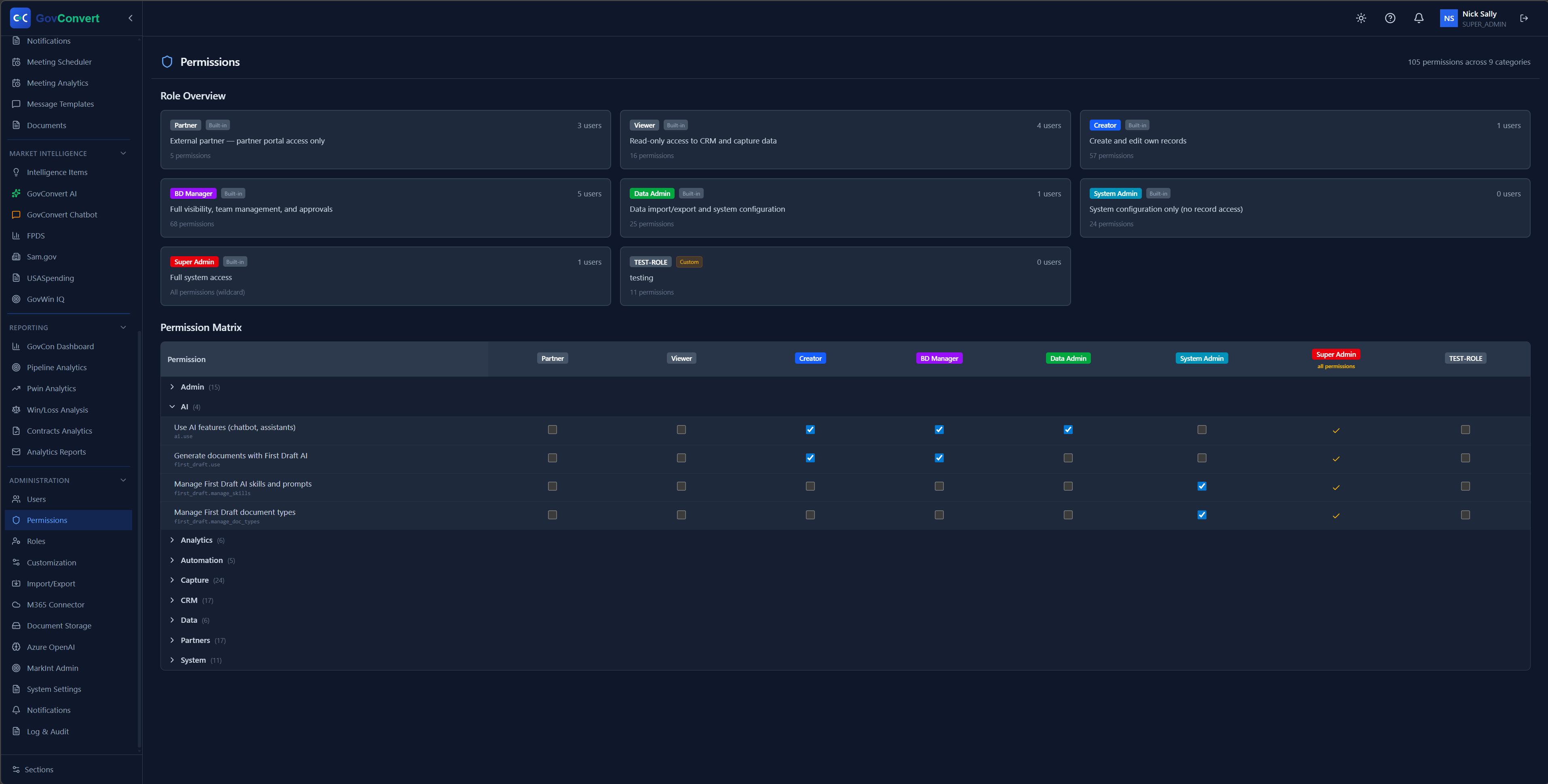
105 permissions across 9 categories, mapped role by role, so each person sees only what their job needs.
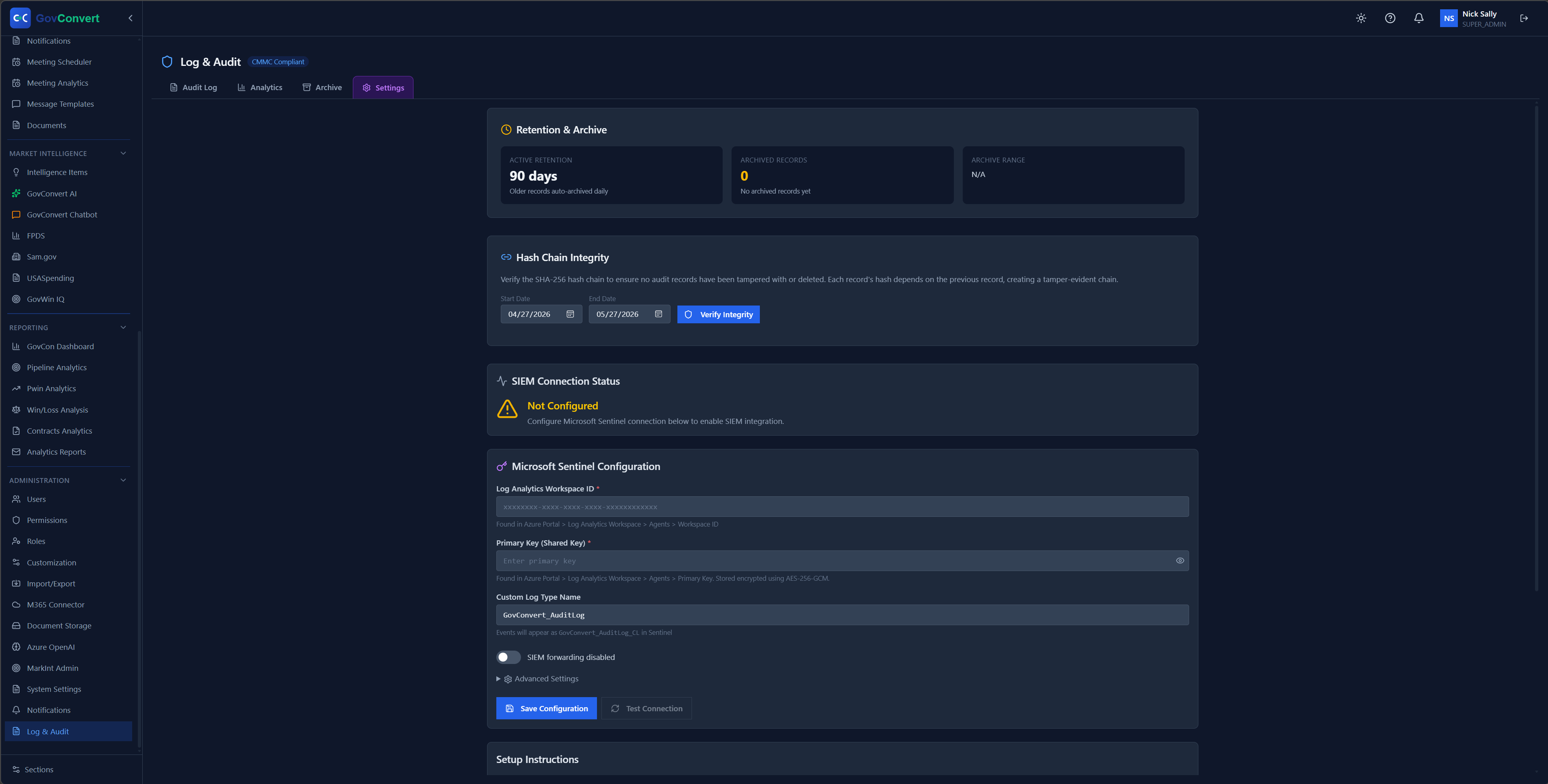
A tamper-evident SHA-256 hash chain plus a Microsoft Sentinel connection, so your audit trail forwards straight to your SIEM.
Every screen above, one price
Add up what those screens usually cost on their own: an AI tool your CUI policy blocks, a search-and-alerts service, a scheduler, a dashboard a consultant built, a CRM, and a compliance tracker. None of them share a record, and the team carries the integration work. GovConvert covers all of them at one per-seat price.
Every feature in this tour, no upcharges · Annual billing saves about 10% · Cancel anytime
See these screens live
Book a 30-minute demo and we walk these same screens with the product team. GovConvert deploys into your own tenant, and you can cancel anytime.